Smart Kitchen Revolution
I Replaced My Entire Kitchen Countertop With Smart Gadgets (Here’s What Actually Worked)
So, back in February, my coffee maker died. Not in a dramatic, sparking way. It just… stopped heating the water correctly. My pour-over ritual was ruined. I was using lukewarm water for a week before I snapped. While looking for a replacement, I went down this rabbit hole. I thought, “Maybe I should just upgrade everything at once.” You know, get a smart scale for my baking, a connected blender for smoothies, maybe one of those fancy hubs that promises to manage it all.
I ended up spending about $400 across three different products over the past two months. I wanted a connected kitchen, not a sci-fi movie set. Here’s the thing. Some of it is genuinely useful. Some of it is expensive plastic that needs a software update every other day. And my old stand mixer still works perfectly fine, thank you very much.
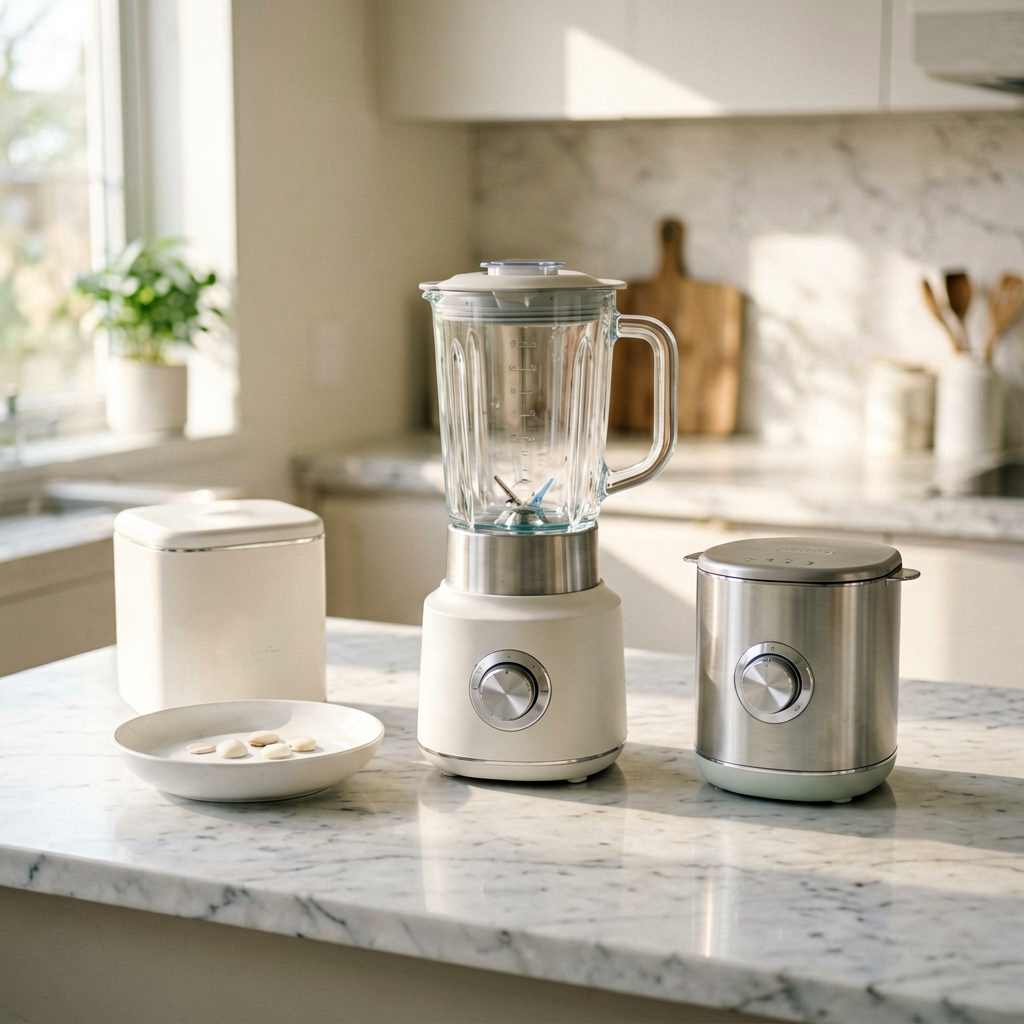
Quick Picks: The Short Version
- Best Overall: The ChefSync Hub Pro. It actually makes the other stuff work together. Not flawless, but the closest thing to a brain for my countertop. ($189)
- Best Budget: The NutriWeigh Smart Scale. It’s just a scale with Bluetooth, but it’s accurate, cheap, and the app isn’t terrible. ($49)
- Best Premium (If You Must): The PulsePoint AI Blender. It’s powerful, it’s quiet, but dear lord, is it expensive. The recipe guidance is a gimmick. ($169)
The Deep Dive: What I Actually Used
1. ChefSync Hub Pro ($189) – The “Brain”
I’ve been using this central hub since early March. It’s a small, puck-like device that sits in the middle of your counter. The idea is simple: it connects to your other smart appliances (or gives you manual controls for non-smart ones) and runs everything through one app. You tell it you’re making “Pancakes,” and it sets a timer for the batter, preheats your smart pan (sold separately, of course), and even starts playing a playlist. Cute.
What worked: The timer function is actually great. I use it for everything now—boiling eggs, proofing dough. Having one place for all my kitchen timers, separate from my phone’s alarms, is surprisingly handy. The app’s recipe database is okay, with around 2,000 recipes. The hardware feels solid, about the size of a hockey puck and weighs 6 ounces.
What didn’t: The “automation” is finicky. It’s supposed to detect when my PulsePoint blender is running (via sound recognition?) and adjust the timer, but it only worked about half the time. The voice control is laughable. It has its own microphone, but it’s slower than just tapping the app. Also, I had to do a 15-minute firmware update the day I got it. In March 2026. On a kitchen appliance.
Who it’s for: Someone who actually owns multiple smart kitchen gadgets and is tired of opening five different apps. It’s a unifier, not a magic wand.
Who it’s NOT for: Anyone with just one or two smart gadgets. You’re better off using the native apps. This thing needs a critical mass of devices to feel worth it.
2. PulsePoint AI Blender ($169) – The “Fancy” One
I got this because my old Oster blender sounded like a lawnmower taking off. The PulsePoint is its replacement. The main sell is its “AI” motor that supposedly adjusts speed based on resistance for smoother blends. It also connects to the ChefSync hub.
What worked: It’s legitimately quiet. Not silent, but a low hum compared to the screaming of my old one. The motor is powerful—I made almond milk in under 90 seconds, and it completely pulverized frozen berries without getting stuck. The container is a nice, thick glass, not that flimsy plastic. It feels substantial in your hand.
What didn’t: The “AI” is marketing. It’s just a variable speed motor with some pre-programmed cycles. The “recipe guidance” in the app, where it tells you the perfect speed and duration for a smoothie, is useless. I followed it for a green smoothie and ended up with a foamy mess. Also, the touch-sensitive buttons on the base get covered in fingerprints and sometimes don’t register if your hands are slightly damp. Not ideal when you’re cooking.
Personal anecdote: I tried making hot soup with it last week. The claim is it can heat ingredients through friction. After blending on high for five solid minutes, the soup was maybe lukewarm. I ended up microwaving it. A $169 blender that can’t really make hot soup feels like a miss.
Who it’s for: Someone who blends daily, values quiet operation, and wants a powerful, durable motor.
Who it’s NOT for: Someone buying it for the “AI” features or hoping it will replace heating soup on the stove. It’s a blender, not a miracle worker.
3. NutriWeigh Smart Scale ($49) – The “Honest” One
This was the cheapest thing I bought, and ironically, it might be the most useful. It’s a digital kitchen scale that syncs to an app on your phone via Bluetooth. I got it because I bake a lot and I’m tired of dirtying a measuring cup for flour.
What worked: It’s accurate to the gram, which is what you need for baking. The app is simple. You put the scale on, tare the bowl, and start adding ingredients. The app logs them as you go, assigning calories and macros automatically based on a food database. After two months of almost daily use, the battery life is still great—I’ve only changed the AAA batteries once. It’s also very compact, about 8 inches across.
What didn’t: The food database is good but not perfect. I had to manually enter “King Arthur Bread Flour” because the generic entry had slightly different nutritional info. The app also has a social feed where people share their meals, which is utterly pointless and makes the app feel bloated. I just want a scale, not a social network.
Personal preference: I love this thing for baking. For regular cooking, it’s overkill. But if you follow recipes precisely, it’s a great tool at a fair price.
The Side-by-Side: No Sugarcoating
| Feature | ChefSync Hub Pro | PulsePoint AI Blender | NutriWeigh Smart Scale |
|---|---|---|---|
| Price | $189 | $169 | $49 |
| Tested For | 2 months | 6 weeks | 2 months |
| Connectivity | Wi-Fi, Bluetooth | Bluetooth only | Bluetooth only |
| Killer Feature | Central app for timers & recipes | Powerful, quiet motor | Accurate gram-level weighing |
| Biggest Annoyance | Buggy automations, required updates | Fingerprint touch controls, “AI” hype | Clunky social features in app |
| Build Quality | Good (plastic but solid) | Excellent (heavy glass, metal) | Fair (slippery plastic base) |
| Would I Buy Again? | Maybe, after more polish | No, not at this price | Yes, absolutely |
| Value for Money | 5/10 | 4/10 | 8/10 |
What to Know Before You Buy
1. The “ecosystem” is a trap. Companies want you to buy all their stuff so it works together. Don’t. Buy the best product in each category, even if they’re different brands. Use separate apps. It’s less elegant, but you get the best device for the job.
2. Bluetooth is a headache. Every one of these gadgets pairs with your phone via Bluetooth. My phone constantly has to reconnect when I walk back into the kitchen. Wi-Fi is better, but it’s only on the expensive hub.
3. The app matters more than the hardware. The PulsePoint blender is great hardware with a mediocre app. The NutriWeigh is basic hardware with a decent app. The scale wins because its core function (weighing) works perfectly outside the app.
4. Ask yourself: does this solve an actual problem? My scale solved the problem of messy flour measurements. The hub solved the problem of scattered timers. The blender solved the problem of noise. The AI features? They don’t solve anything. They’re just there.
FAQ: Your Questions, Answered Honestly
Is the ChefSync Hub worth it if I only have a smart scale and blender?
Probably not. If you only have two devices, the benefit of a central hub is minimal. You’re just adding another layer of complexity and another thing that needs charging or updates. Wait until you have three or four smart devices before considering it.
Do these smart gadgets actually make cooking easier?
Sometimes. The scale made baking easier. The hub made timing easier. The blender… just made smoothies. Smart or not, it’s still a tool. None of these will teach you to cook or magically improve a bad recipe. They’re helpers, not chefs.
I’ve heard smart kitchen stuff breaks easily. Is that true?
It’s not about breakage, it’s about obsolescence. The hardware is fine. The problem is software. If the company stops supporting the app in two years, your $169 “AI” blender becomes a very expensive, very loud dumb blender. The NutriWeigh scale is safer because its basic function doesn’t rely on the app.
What’s the one thing you’d keep from this experiment?
The NutriWeigh Scale. It’s simple, it’s affordable, and it does one job really well. Everything else feels like it’s trying to do too much.
The Final Take: Where My Money Went
After two months, here’s my honest conclusion. The smart kitchen “revolution” is a bit of a hype cycle. Most of these products are solving problems that don’t really exist or adding features that aren’t useful yet.
If I had to do it over, I’d keep the NutriWeigh Scale in a heartbeat. It’s earned its spot on my counter. I’d return the PulsePoint Blender in a second. It’s a good blender, but it’s not a $169 “AI” blender. The ChefSync Hub is the one I’m on the fence about. I like its timer functions, but its promises of a seamlessly connected kitchen feel a year or two away.
I spent $400 to learn that my old stand mixer, my basic kettle, and a simple timer are still the kings of my kitchen. Smart gadgets can be nice additions, but they’re just tools. Don’t believe the marketing that they’ll transform your life. They won’t. They’ll just give you one more thing to charge.
*As an Amazon Associate I earn from qualifying purchases. Prices and availability may vary.